The team
Add a team member, including a required mobile number, and review the edit options on each person's card.
Updated November 23, 2026
The Team page is where you add people who can sign in to Property Keeper by TML and review each person's role, photo, and properties. Open it from Admin.
Open Team
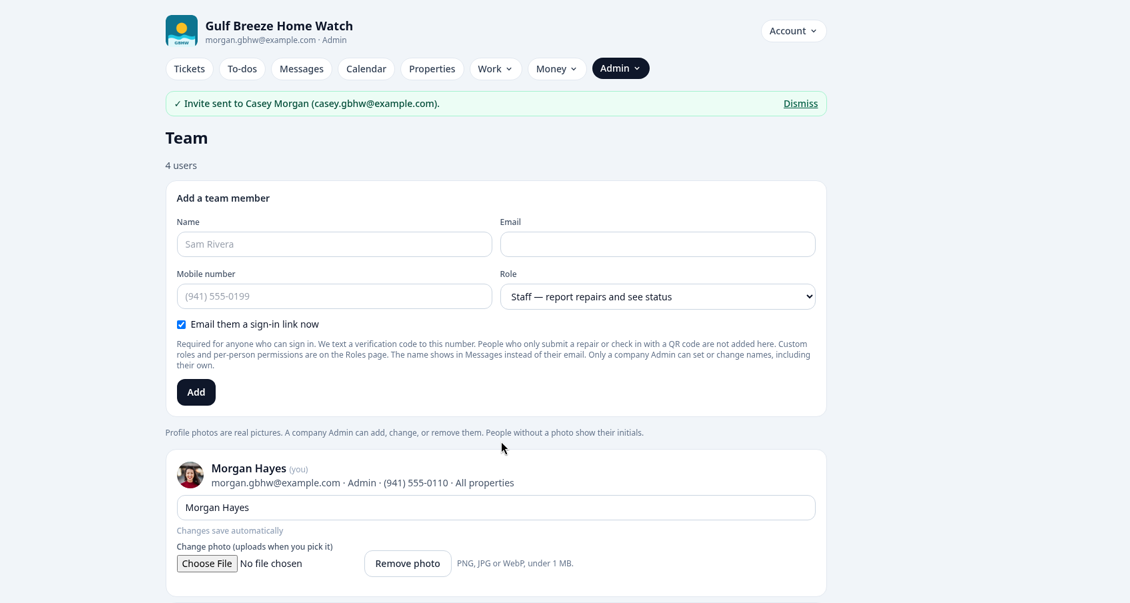
- Choose Admin, then Team. The heading is Team, with a count of users (in this example, 3 users before a new invite).
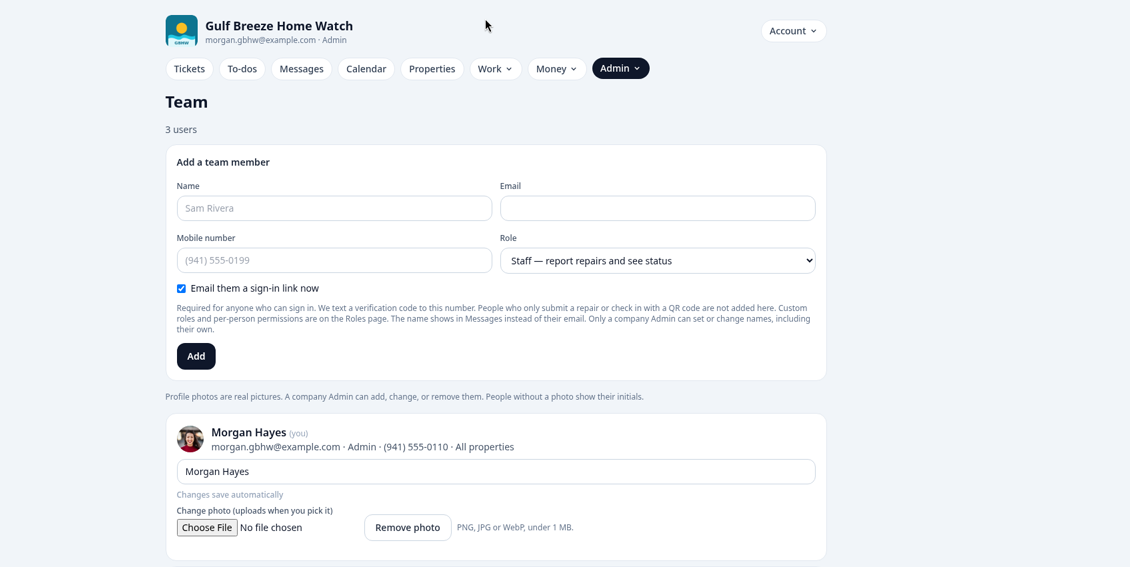
Add a team member includes:
- Name, with the placeholder Sam Rivera
- Mobile number, with the placeholder (941) 555-0199
- Role, which defaults to Staff — report repairs and see status
- Email them a sign-in link now, which is checked
- Add
Help text under the form says: Required for anyone who can sign in. We text a verification code to this number. People who only submit a repair or check in with a QR code are not added here. Custom roles and per-person permissions are on the Roles page. The name shows in Messages instead of their email. Only a company Admin can set or change names, including their own.
A line under the form says Profile photos are real pictures. A company Admin can add, change, or remove them. People without a photo show their initials.
In this example, Morgan Hayes is already on the list, labeled (you), with Admin, (941) 555-0110, and All properties. For custom roles and per-person permissions, see Roles and permissions.
Review the options on each person
- Scroll to the people already on the team.
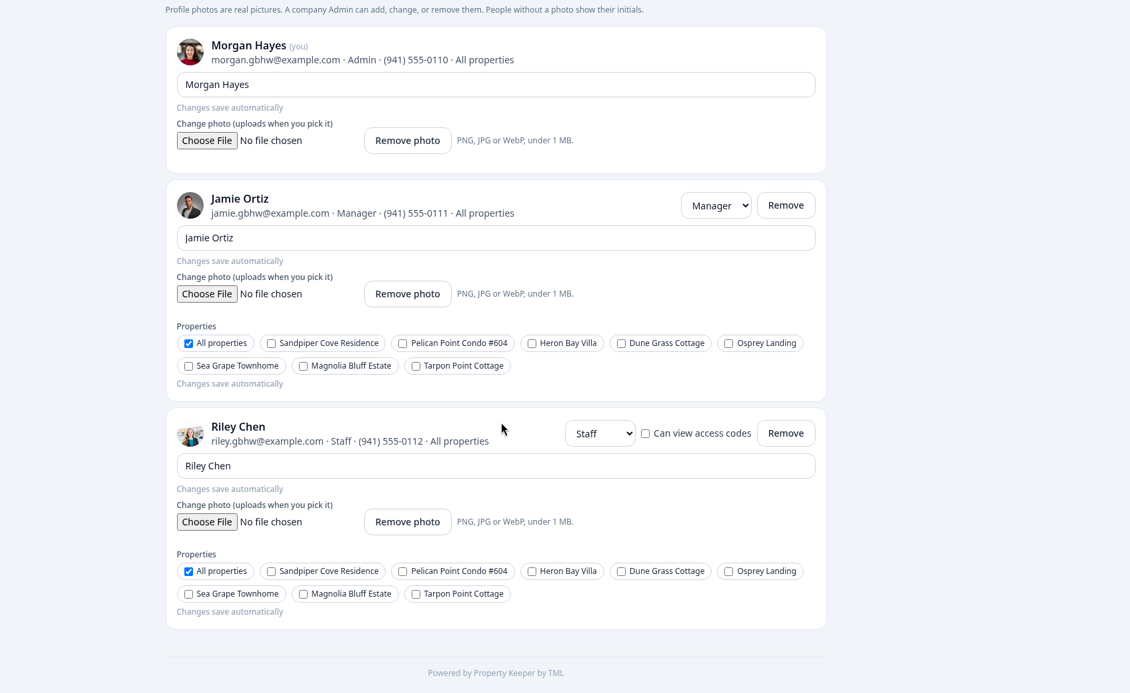
Each card has a name field, the line Changes save automatically, Change photo (uploads when you pick it) with Choose File, Remove photo, and PNG, JPG or WebP, under 1 MB.
What else appears depends on the person:
- Morgan Hayes (you) is Admin. The card has the name and photo controls. It does not show a role menu, a Remove button, or a Properties list.
- Jamie Ortiz is Manager, with (941) 555-0111 and All properties. The card has a role menu, Remove, and a Properties list. All properties is ticked. The individual homes (Sandpiper Cove Residence, Pelican Point Condo #604, Heron Bay Villa, Dune Grass Cottage, Osprey Landing, Sea Grape Townhome, Magnolia Bluff Estate, and Tarpon Point Cottage) are listed and are not ticked on their own.
- Riley Chen is Staff, with riley.gbhw@example.com, (941) 555-0112, and All properties. The card has a role menu, a Can view access codes checkbox, Remove, and the same Properties list, with All properties ticked.
Add a team member
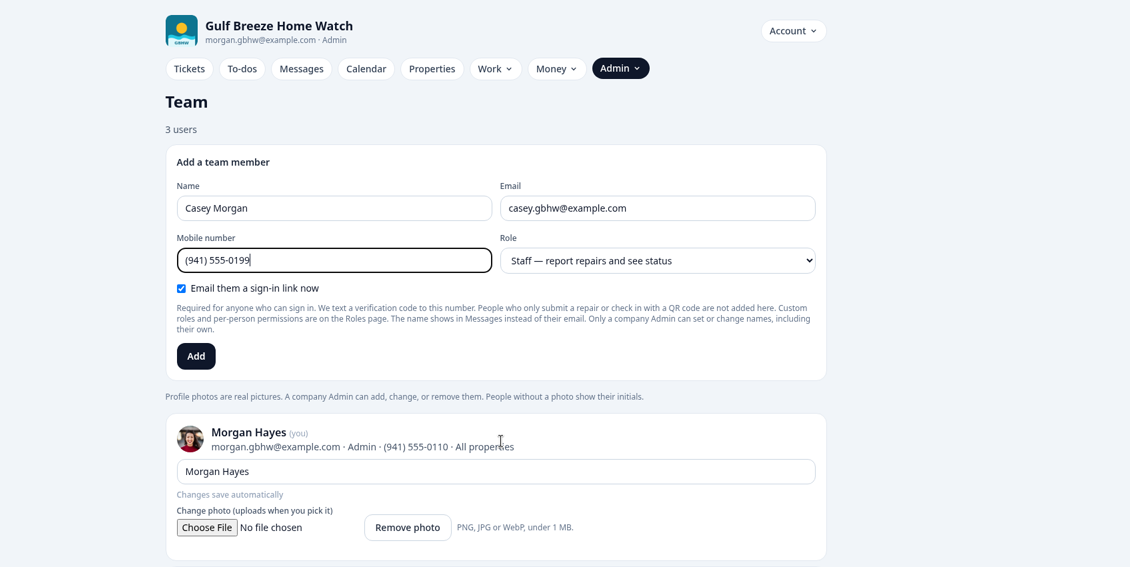
- In Add a team member, enter a name, email, and mobile number, and leave the role and invite checkbox as you want them. In this example: Casey Morgan, casey.gbhw@example.com, (941) 555-0199, role Staff — report repairs and see status, and Email them a sign-in link now still checked.
- Choose Add. A green banner says Invite sent to Casey Morgan (casey.gbhw@example.com)., with Dismiss. The heading updates to 4 users, and the add form is cleared.