
Insurance inventory photos
Open Insurance Inventory Photos on a property and continue the photo walkthrough.
Updated November 23, 2026
Insurance Inventory Photos is part of Home & records on the property page. Use it to photograph the home and keep a record for insurance. You can review photos already on file and continue the walkthrough.
Open the inventory
- Open the property, choose Home & records, and choose Insurance Inventory Photos to expand it. The card shows progress, such as 43% complete · 9 of 21 steps · 13 photos · 0 videos.
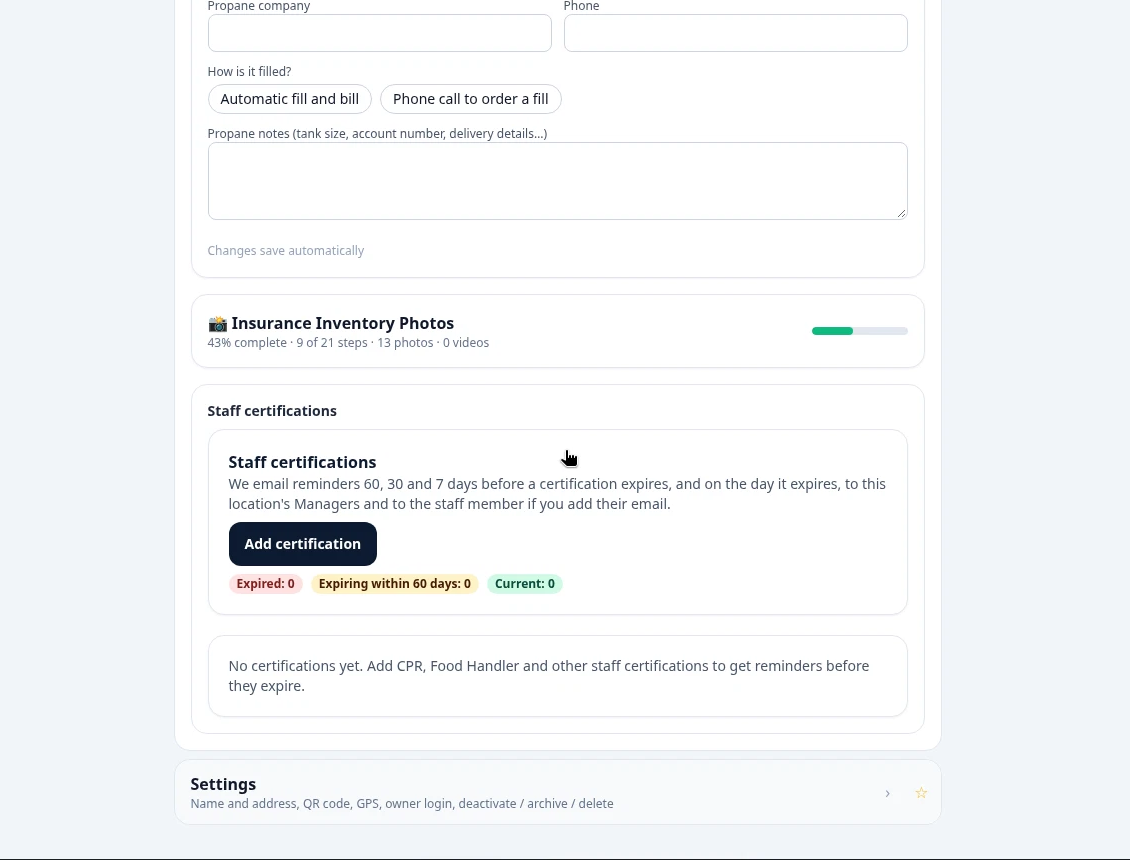
Choose Continue the photo walkthrough to return to the walkthrough. Download all (ZIP) and Download report (PDF) are also on the card. A note says Admins and Managers only. The ZIP has every original photo and video, an items list (CSV), a SHA-256 list and the PDF report. Location data is removed.
Photos are grouped, for example Outside · 4 photos · 0 videos. A step can show a thumbnail, when it was taken, and a caption. In this example, 2. Front wide shot from the street (1) was Taken Nov 22, 2026, 9:57 AM ET, and 6. Garage (1) appears under it.
Continue the photo walkthrough
- Choose Continue the photo walkthrough. The Insurance Inventory Photos walkthrough opens. It shows the property name, an English / Español toggle, Done, and progress such as 9 of 21 steps · 13 photos · 0 videos and 43%. Steps are grouped under Outside, Inside, and General.
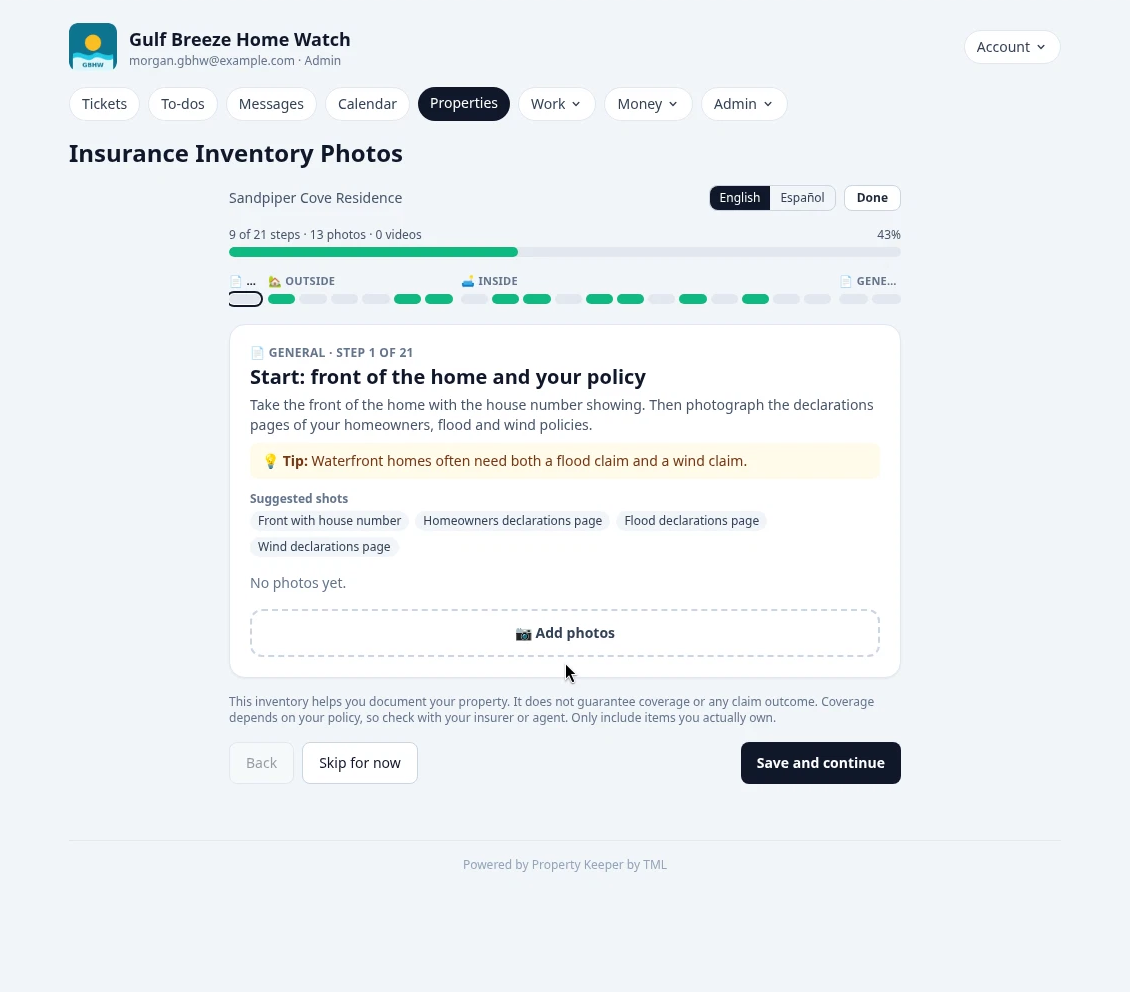
General · Step 1 of 21 is Start: front of the home and your policy. The line under the title says Take the front of the home with the house number showing. Then photograph the declarations pages of your homeowners, flood and wind policies.
A tip on the step says Waterfront homes often need both a flood claim and a wind claim. Suggested shots are Front with house number, Homeowners declarations page, Flood declarations page, and Wind declarations page. Each step shows its own photo count. If this step's count is zero, it says No photos yet. Choose Add photos to add them.
A note at the bottom says This inventory helps you document your property. It does not guarantee coverage or any claim outcome. Coverage depends on your policy, so check with your insurer or agent. Only include items you actually own.
The buttons are Back, Skip for now, and Save and continue.