
Create an account
Pick a plan on the signup page, then fill in your company details and accept the agreements to start a 30-day free trial.
Updated November 24, 2026
You create a Property Keeper by TML account on the web in four steps: pick a plan, enter your company details, verify your email, and verify your mobile number. The first two steps are shown here. A 30-day free trial starts after those checks, with no card needed.
Pick a plan
- Go to app.getpropertykeeper.com/signup. The heading is Pick your plan.
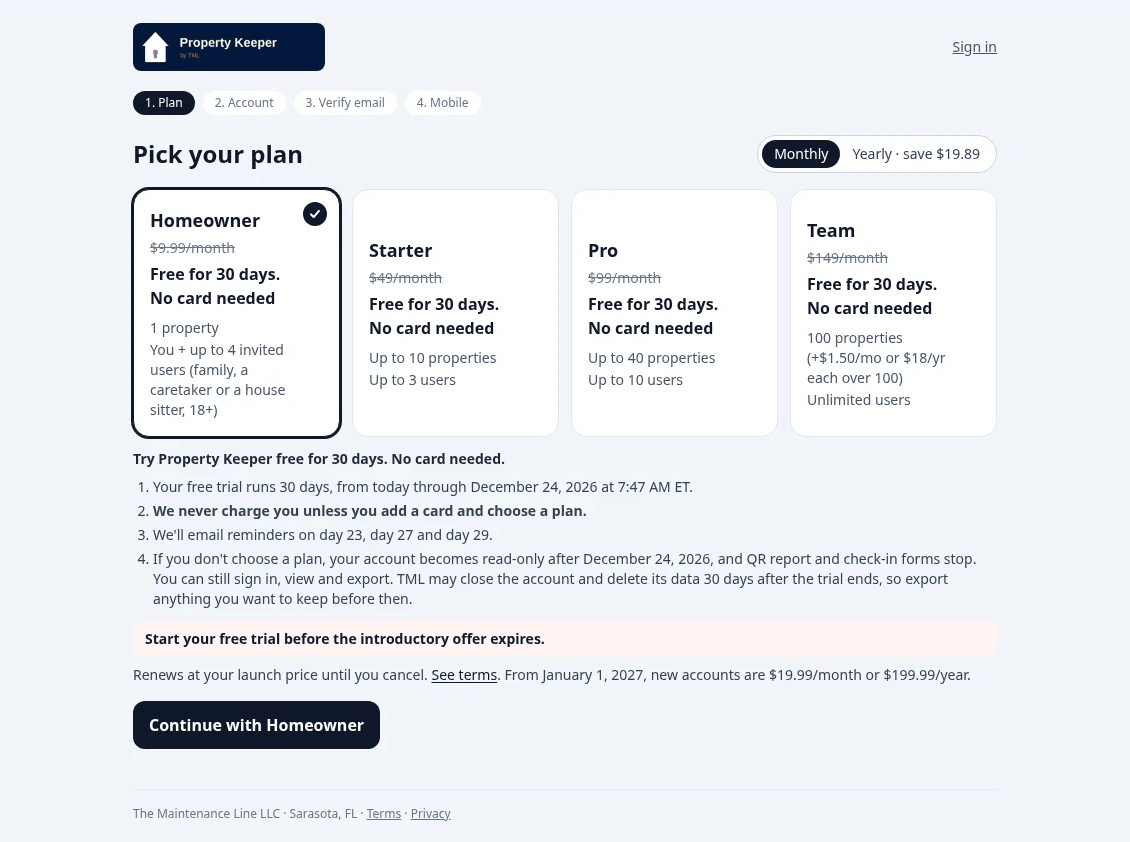
The Property Keeper by TML logo is at the top left, and Sign in is at the top right. The stepper shows 1. Plan, 2. Account, 3. Verify email, and 4. Mobile, with 1. Plan selected.
In these screenshots Homeowner is selected, with a checkmark. A toggle lets you choose Monthly or Yearly · save $19.89 when Homeowner is selected. With a business plan such as Pro selected, the Yearly side of the toggle reads Yearly · 2 months free. With Monthly selected, the four plans are:
- Homeowner, $9.99/month, Free for 30 days. No card needed, 1 property, and You + up to 4 invited users (family, a caretaker or a house sitter, 18+)
- Starter, $49/month, the same trial line, Up to 10 properties, and Up to 3 users
- Pro, $99/month, Up to 40 properties, and Up to 10 users
- Team, $149/month, 100 properties (+$1.50/mo or $18/yr each over 100), and Unlimited users
The prices on the cards are shown in a lighter style. They are not struck through.
Under the cards, bold text says Try Property Keeper free for 30 days. No card needed. The four points under it are:
- Your free trial runs 30 days, from today through the date and time shown, which is 30 days from today.
- We never charge you unless you add a card and choose a plan.
- We'll email reminders on day 23, day 27 and day 29.
- If you don't choose a plan, your account becomes read-only after that same date, and QR report and check-in forms stop. You can still sign in, view and export. TML may close the account and delete its data 30 days after the trial ends, so export anything you want to keep before then.
When Homeowner is selected, a pink highlighted line says: Start your free trial before the introductory offer expires. Under it: Renews at your launch price until you cancel. See terms. From January 1, 2027, new accounts are $19.99/month or $199.99/year. See terms is a link to the Subscription Agreement.
The button is Continue with Homeowner while Homeowner is selected. The footer is The Maintenance Line LLC · Sarasota, FL · Terms · Privacy.
For a full comparison of plan limits, Homeowner launch pricing, and features, see Plans and the free trial.
- To see yearly prices, choose Yearly · save $19.89.
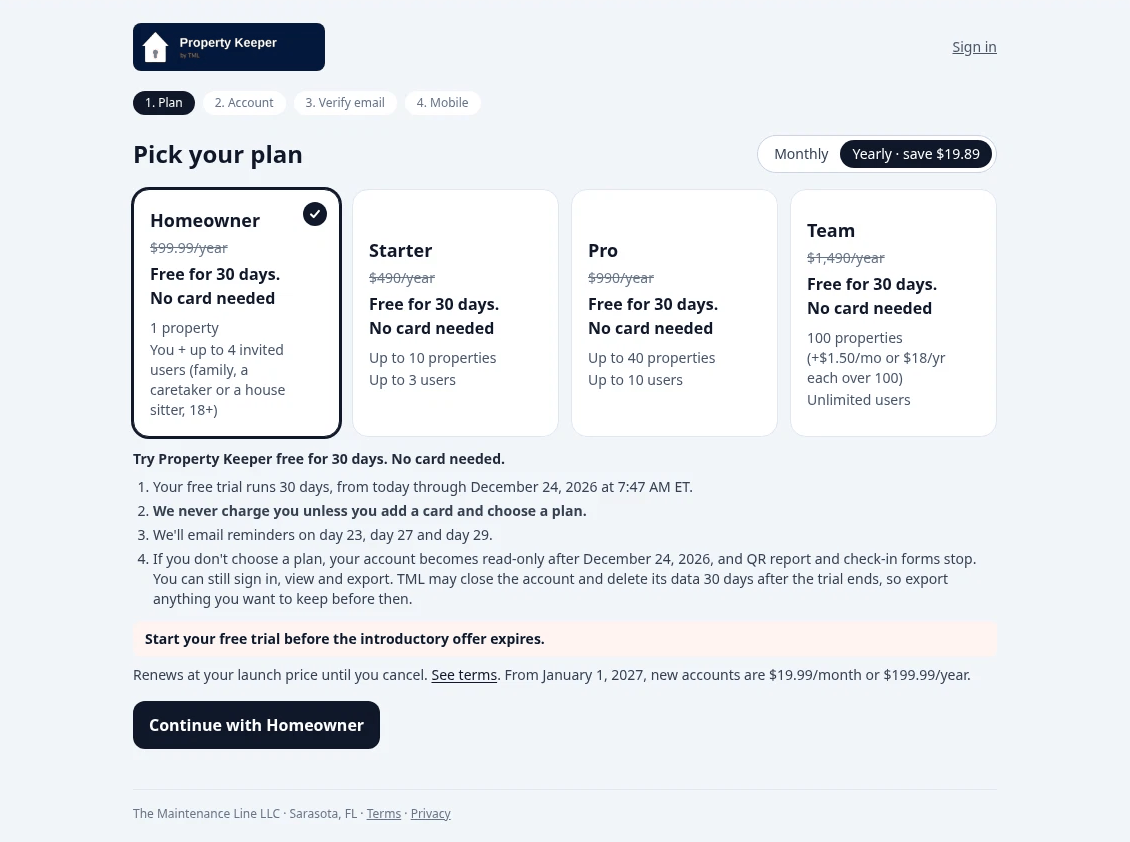
Yearly prices are $99.99/year for Homeowner, $490/year for Starter, $990/year for Pro, and $1,490/year for Team. The Team overage line stays 100 properties (+$1.50/mo or $18/yr each over 100). The trial terms, the Homeowner highlighted lines, and the Continue with Homeowner button are the same.
- Keep the plan you want selected, then choose Continue with that plan. These plan-picker screenshots use Homeowner. The account-form screenshot that follows uses Pro.
Create your account
- After you continue, the stepper marks 1. Plan done and 2. Account as the current step. The card heading is Create your account.
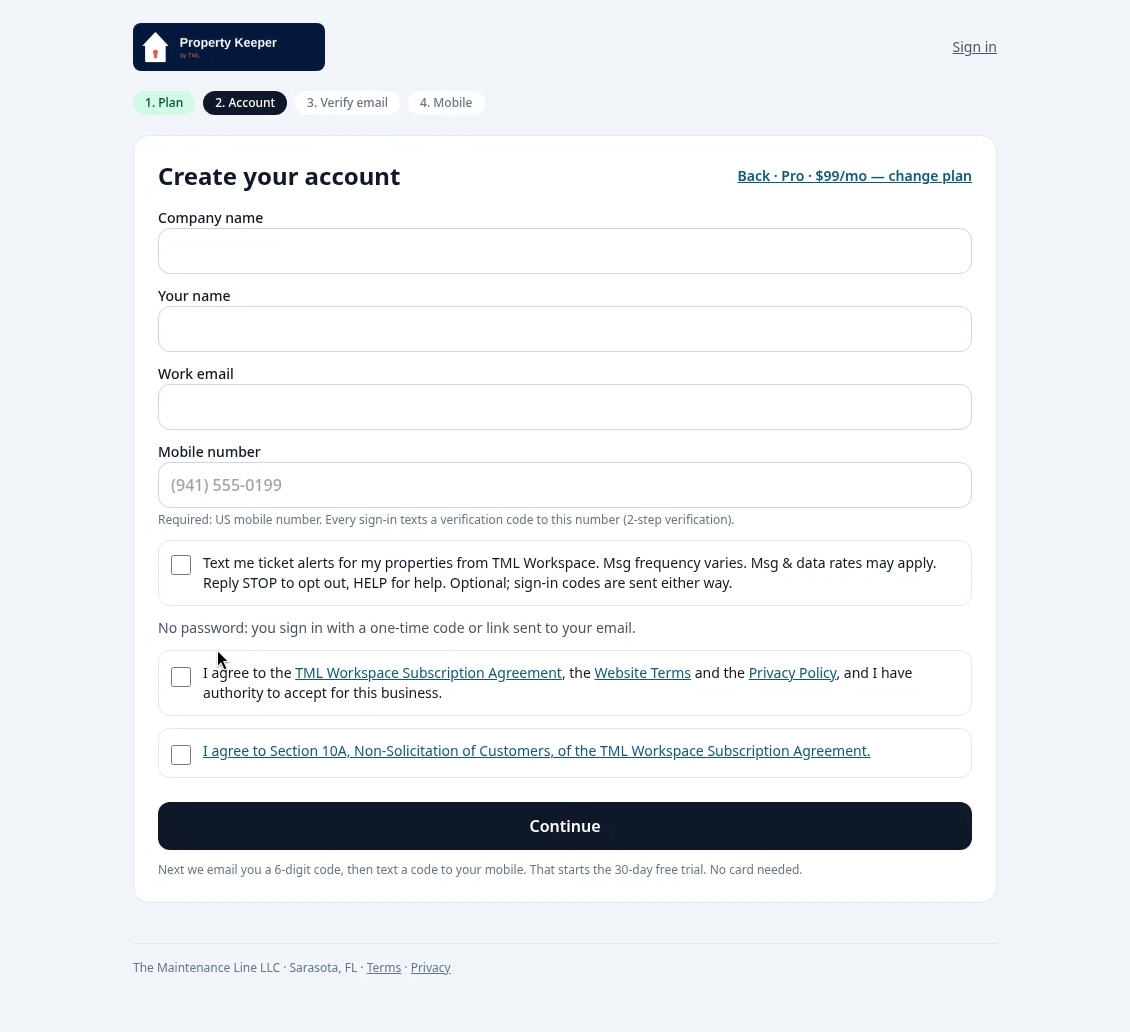
A line at the top right of the card says Back · Pro · $99/mo — change plan. The form has:
- Company name
- Your name
- Work email
- Mobile number, with the placeholder (941) 555-0199. Help text under the field says: Required: US mobile number. Every sign-in texts a verification code to this number (2-step verification).
An unchecked checkbox says: Text me ticket alerts for my properties from TML Workspace. Msg frequency varies. Msg & data rates may apply. Reply STOP to opt out, HELP for help. Optional; sign-in codes are sent either way.
A line under that says: No password: you sign in with a one-time code or link sent to your email.
Two more unchecked checkboxes say:
- I agree to the TML Workspace Subscription Agreement, the Website Terms and the Privacy Policy, and I have authority to accept for this business. The phrases TML Workspace Subscription Agreement, Website Terms, and Privacy Policy are links.
- I agree to Section 10A, Non-Solicitation of Customers, of the TML Workspace Subscription Agreement. That whole line is a link.
The button is Continue. There is no password field and no card field.
The footnote under Continue says: Next we email you a 6-digit code, then text a code to your mobile. That starts the 30-day free trial. No card needed.
If you already have an account, choose Sign in at the top right. See Sign in on the web.