
Messages
Send a company thread message or a direct message, and choose whether to get an email when a new message arrives.
Updated November 23, 2026
Messages in Property Keeper by TML are for company threads and direct messages with your team. Open them from Messages in the top navigation.
Open Messages
- Choose Messages. The heading is Messages.
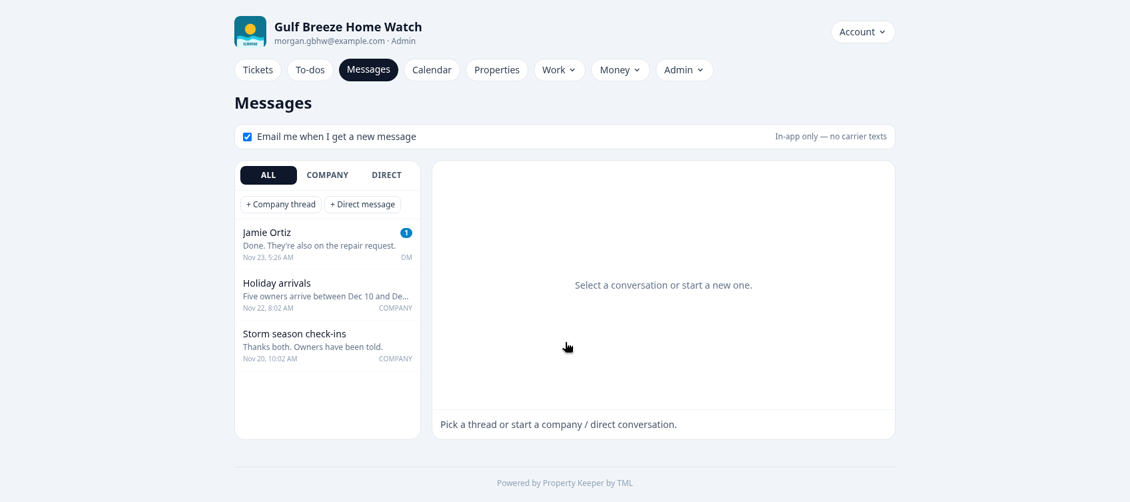
At the top, Email me when I get a new message can be checked. In this example it is already on, with the note In-app only — no carrier texts.
The left pane has tabs ALL (selected), COMPANY, and DIRECT, plus + Company thread and + Direct message. Threads in this example are Jamie Ortiz (a direct message with an unread badge), Holiday arrivals (a company thread), and Storm season check-ins (a company thread).
The right pane says Select a conversation or start a new one. and Pick a thread or start a company / direct conversation.
Reply in a company thread
- Choose a company thread, such as Holiday arrivals. The header shows Holiday arrivals and Company thread, the earlier messages, a Type a message field, and Send.
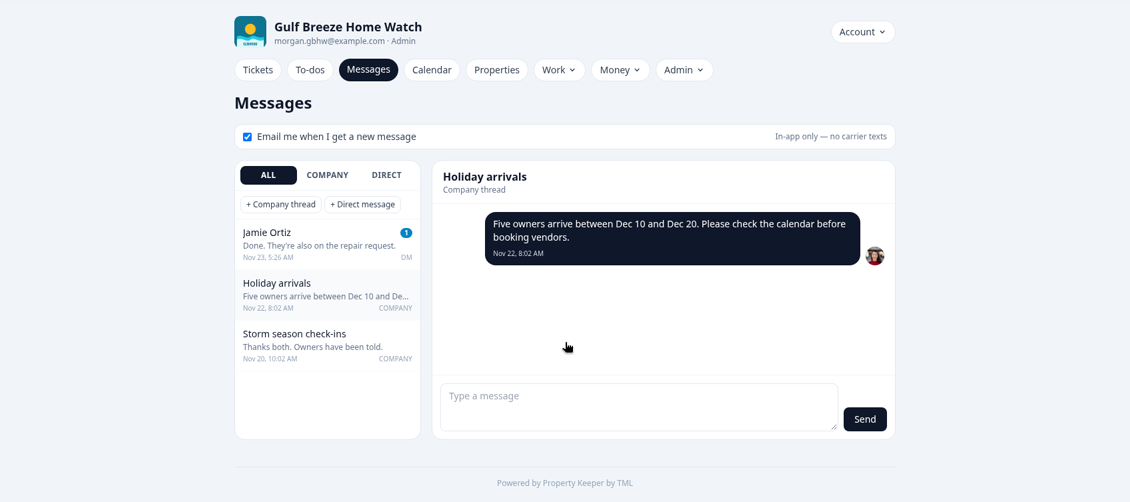
In this example the existing message is Five owners arrive between Dec 10 and Dec 20. Please check the calendar before booking vendors. (Nov 22, 8:02 AM).
- Type your message. In this example: Tarpon Point Cottage is set up for the January visit.
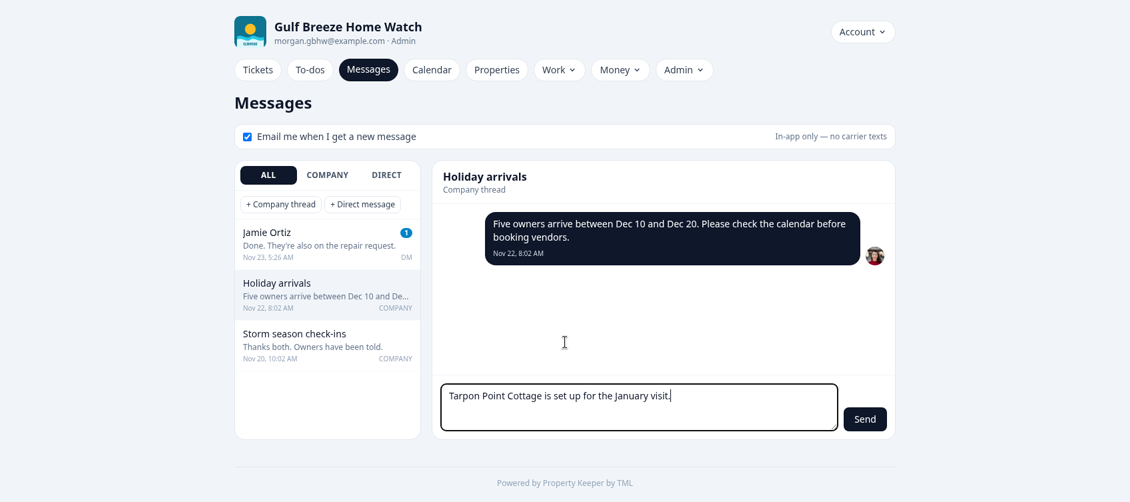
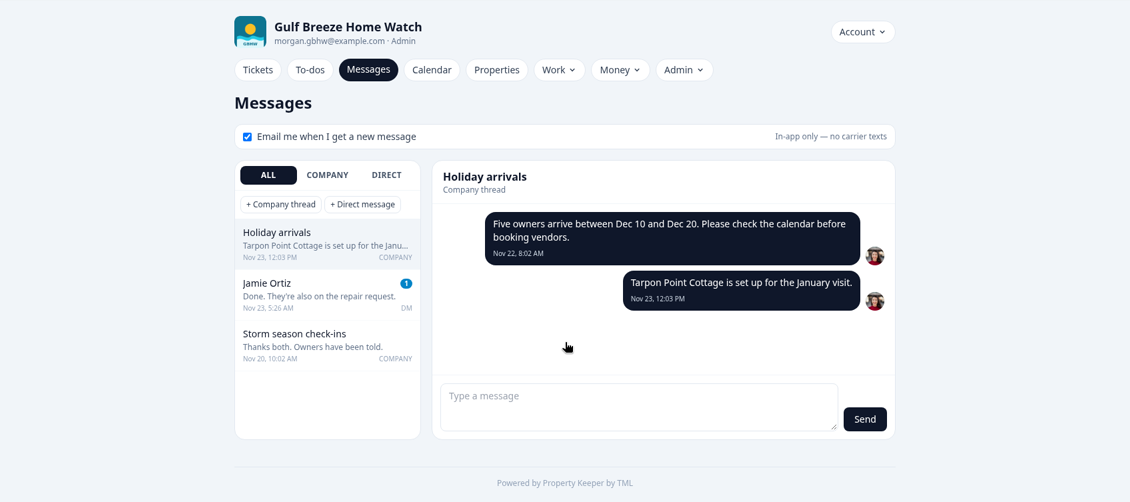
- Choose Send. Your message appears in the thread (here Nov 23, 12:03 PM), and the thread moves to the top of the list.
Send a direct message
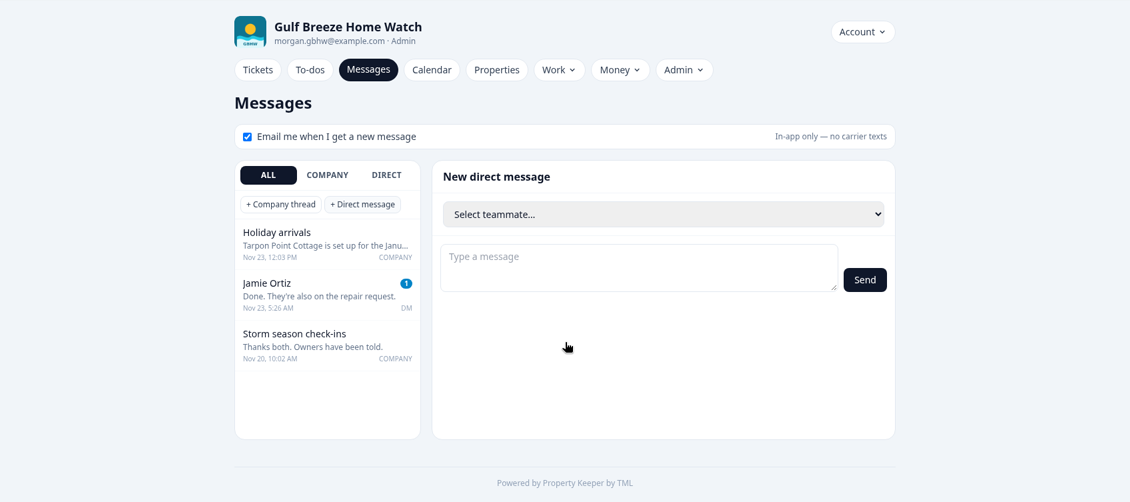
- Choose + Direct message. The right pane becomes New direct message, with a Select teammate… dropdown, a Type a message field, and Send.
- Choose a teammate and type the message. In this example the teammate is Jamie Ortiz (manager), and the message is Tarpon Point Cottage visit report is done. One small drip under the sink.
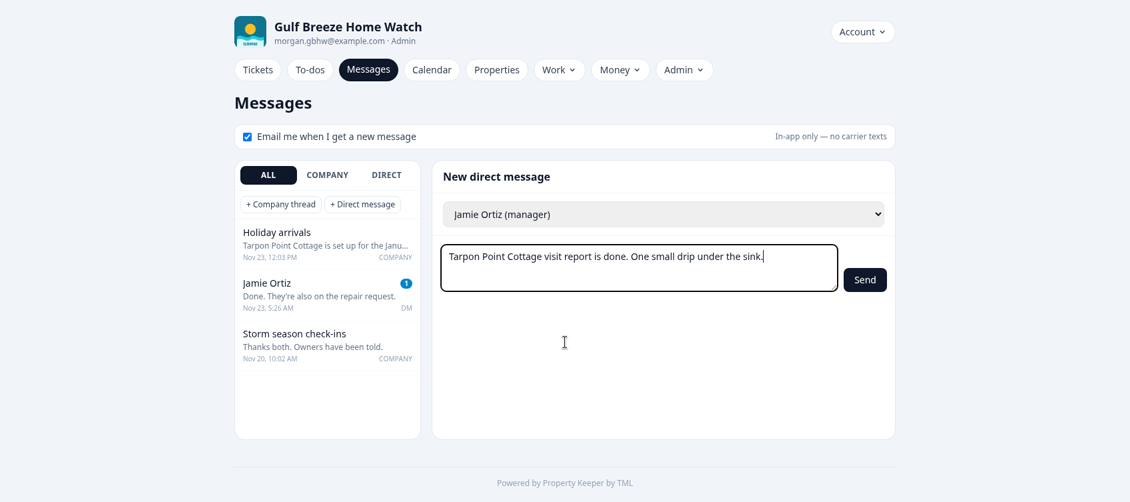
- Choose Send. The message is added to the direct message thread with that teammate. The header shows the teammate's name and Direct message.
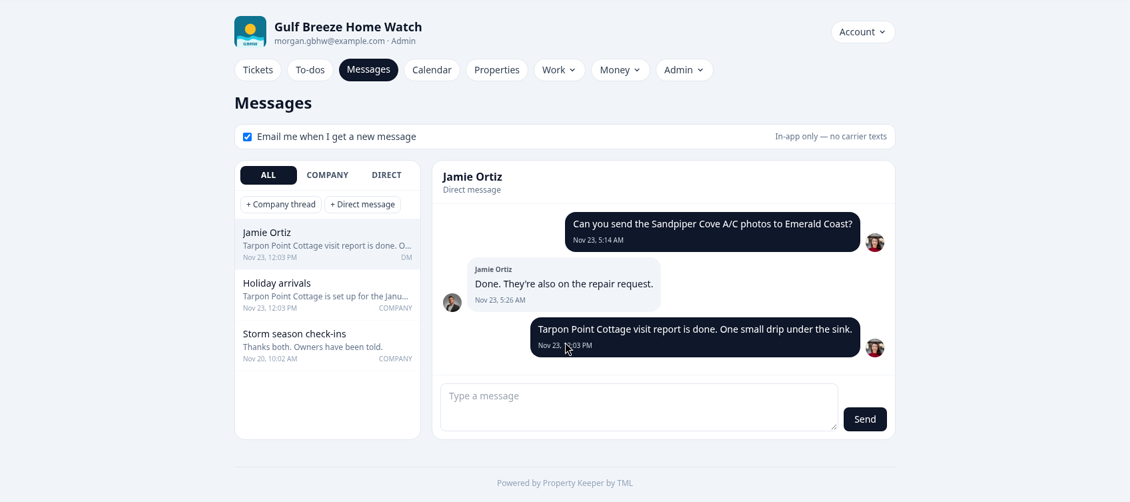
In this example the new message appears in the existing Jamie Ortiz thread (Nov 23, 12:03 PM), along with earlier messages in that conversation.