
Print QR signs and codes
Print the property's repair-report QR sign, or print QR codes for several properties at once.
Updated November 23, 2026
Each property has a QR code that opens its repair report form. You can print that sign from the property page, or print codes for several properties from the Print QR codes page. For labels that point at a single piece of equipment, see Equipment and QR labels.
Print the property QR sign
- Open the property and choose Print QR. The sign opens as a PDF in a new tab. It shows your company logo, the QR code, the property name, and the heading Scan for Issues/Repairs.
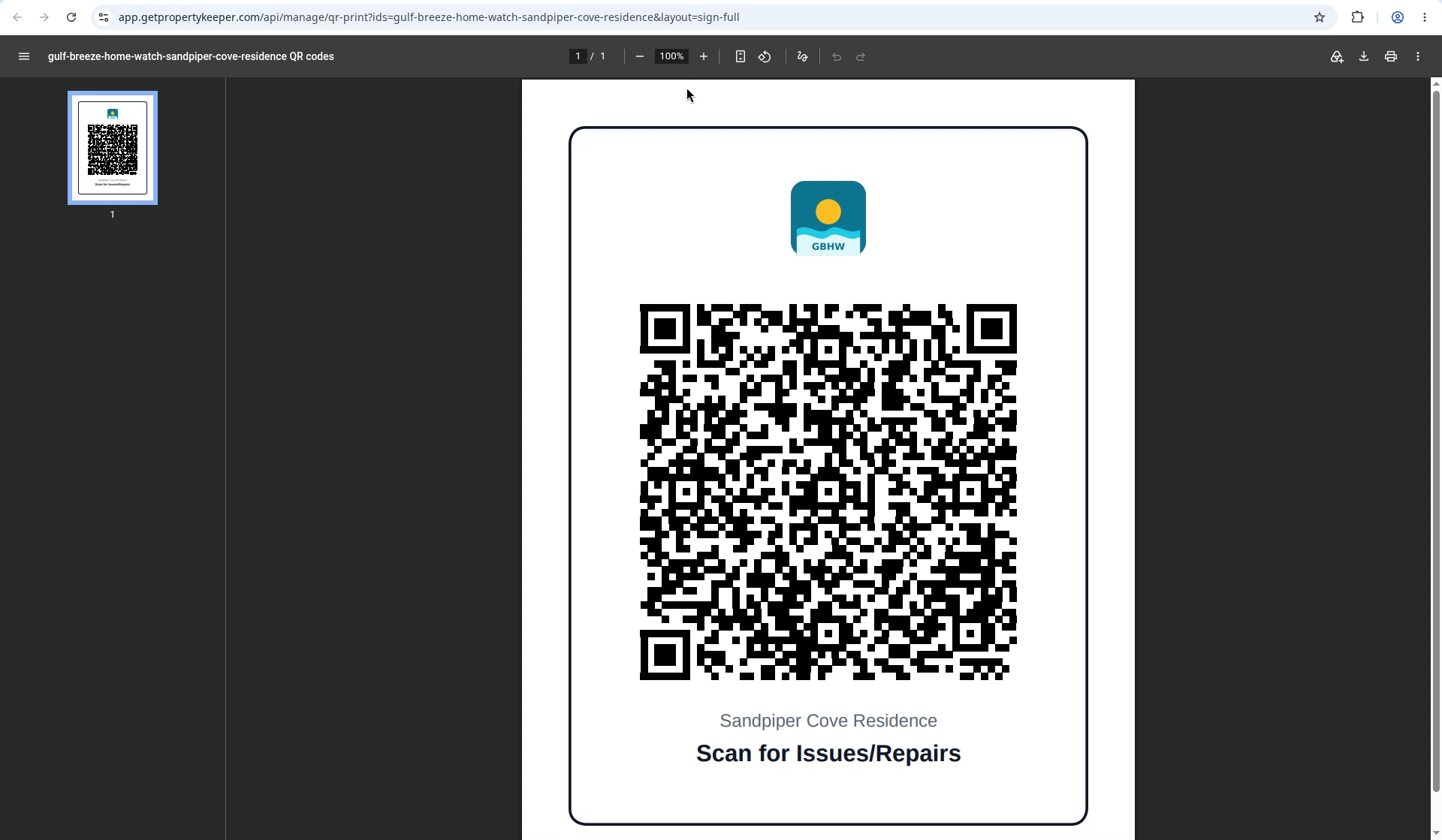
This is the repair-report sign for the property, not a check-in sign. People who scan it go to that property's report form. In Settings, you can also Print (PDF), Download QR (SVG), or choose Labels and more sizes. See Property details and settings.
Print codes for several properties
- On the Properties list, choose … More, then Print QR codes (signs and label sheets). The Print QR codes page opens. The line under the heading says Each code opens that property's report form (the same link as its QR code). Small labels work inside the home; use 3" or 4" outdoors (pool pump, gate).
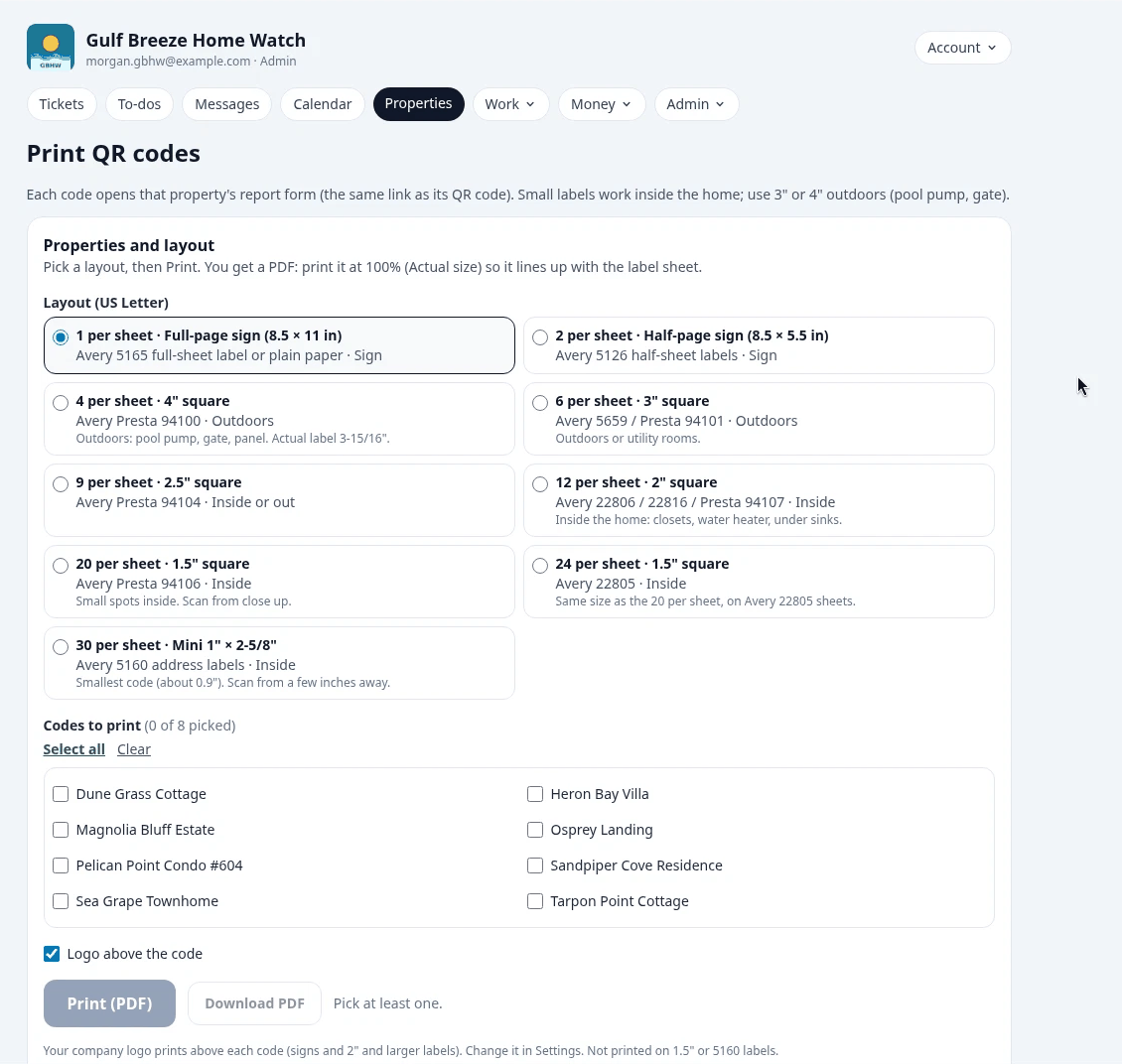
Under Properties and layout, it says Pick a layout, then Print. You get a PDF: print it at 100% (Actual size) so it lines up with the label sheet. Choose a Layout (US Letter). The default in this example is 1 per sheet · Full-page sign (8.5 × 11 in) (Avery 5165 full-sheet label or plain paper · Sign), which matches the sign you get from Print QR on a property.
Other layouts include:
- 2 per sheet · Half-page sign (8.5 × 5.5 in) — Avery 5126 half-sheet labels · Sign
- 4 per sheet · 4" square — Avery Presta 94100 · Outdoors (Outdoors: pool pump, gate, panel. Actual label 3-15/16".)
- 6 per sheet · 3" square — Avery 5659 / Presta 94101 · Outdoors (Outdoors or utility rooms.)
- 9 per sheet · 2.5" square — Avery Presta 94104 · Inside or out
- 12 per sheet · 2" square — Avery 22806 / 22816 / Presta 94107 · Inside (Inside the home: closets, water heater, under sinks.)
- 20 per sheet · 1.5" square — Avery Presta 94106 · Inside (Small spots inside. Scan from close up.)
- 24 per sheet · 1.5" square — Avery 22805 · Inside (Same size as the 20 per sheet, on Avery 22805 sheets.)
- 30 per sheet · Mini 1" × 2-5/8" — Avery 5160 address labels · Inside (Smallest code (about 0.9"). Scan from a few inches away.)
Codes to print shows how many properties are picked (for example, 0 of 8 picked). Use Select all or Clear, or tick the properties you want. Logo above the code can be turned on. A note under the buttons says Your company logo prints above each code (signs and 2" and larger labels). Change it in Settings. Not printed on 1.5" or 5160 labels.
Print (PDF) stays unavailable, and the page says Pick at least one., until you choose a property. Then you can Print (PDF) or Download PDF.